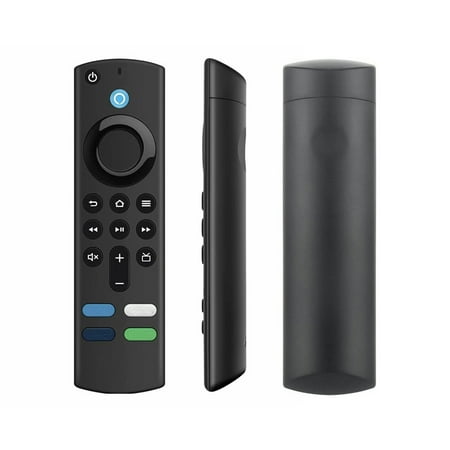
Remote Control, Voice Remote Control, Universal Remote Control (batteries Not Included) Description: About Remote Reseting: Having with your remote, first remove and reinsert the new alkaline batteries in your remote. then resetting your remote as : Place your remote within 10 feet of your device. Press the Left, Menus, and Back buttons simultaneously, and hold for 10 seconds. Wait for . Remove the batteries from your remote, unplug your device, and wait One minute Plug your device back in, and wait for the Home Screen to display. Press the Home button and Hold about 10-15 seconds, Until the LED starts to flash then release, about 30-One minute(Entering Pair mode, LED Flash), then the remote should automatically pair with your device. IF still not Pair success, resetting the above steps again. Product Name: Voice Smart Remote Type: Remote Control The package contains: 1 PC remote control Note: There might be 2-3cm errors of dimension data due to manual measurement. There might be slightly color difference due to different light and monitor effect.